
How Eturns handles a return
How does a return or warranty claim move through Eturns?
Eturns is an AI after-sales app for Shopify. It reads each return, warranty claim, tracking question and support email against your policies, gets the answer ready, and acts within your rules, once you let it. Start free on your real store, up to 50 orders a month.
The same steps are written under each diagram, so you can read them without the picture.
The steps, in order
- Order
- The customer starts a return or a warranty claim in the shopper portal, with photos.
- Eturns reads the order, the photos, and your policy version.
- It prepares options, each with a confidence.
- At least 85% sure (on a new store), and under your approval limit?
- Yes: a refund, an exchange, store credit, or a request for another photo.
- No: Needs you.
- The decision trail is written and kept for 7 years.
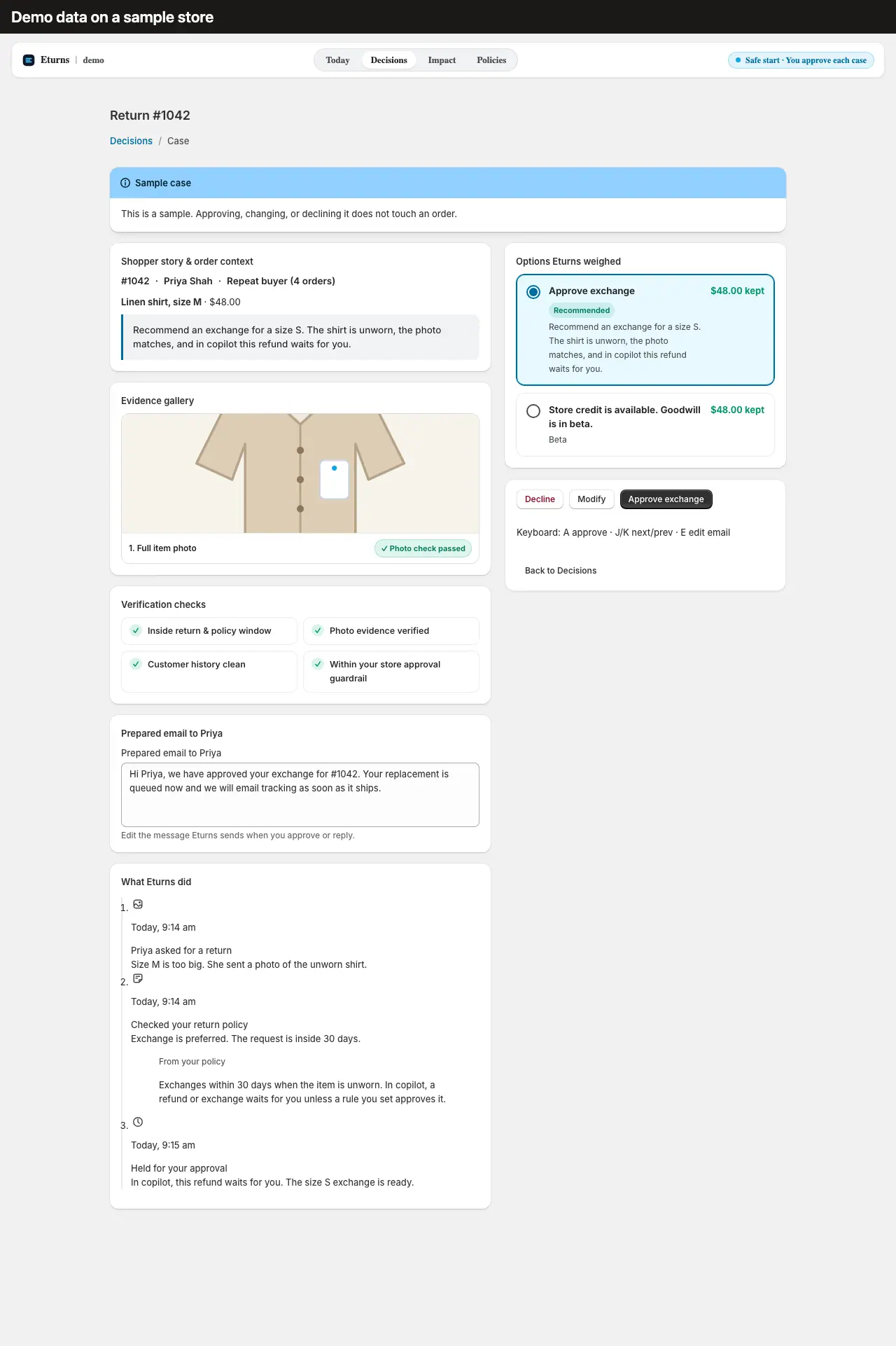
- Every store starts in copilot. Eturns acts within your rules, once you let it. No money moves until you approve.
- Instant answers happen only in the shopper portal. Emailed questions wait for your approval, and a refund question gets no drafted reply.
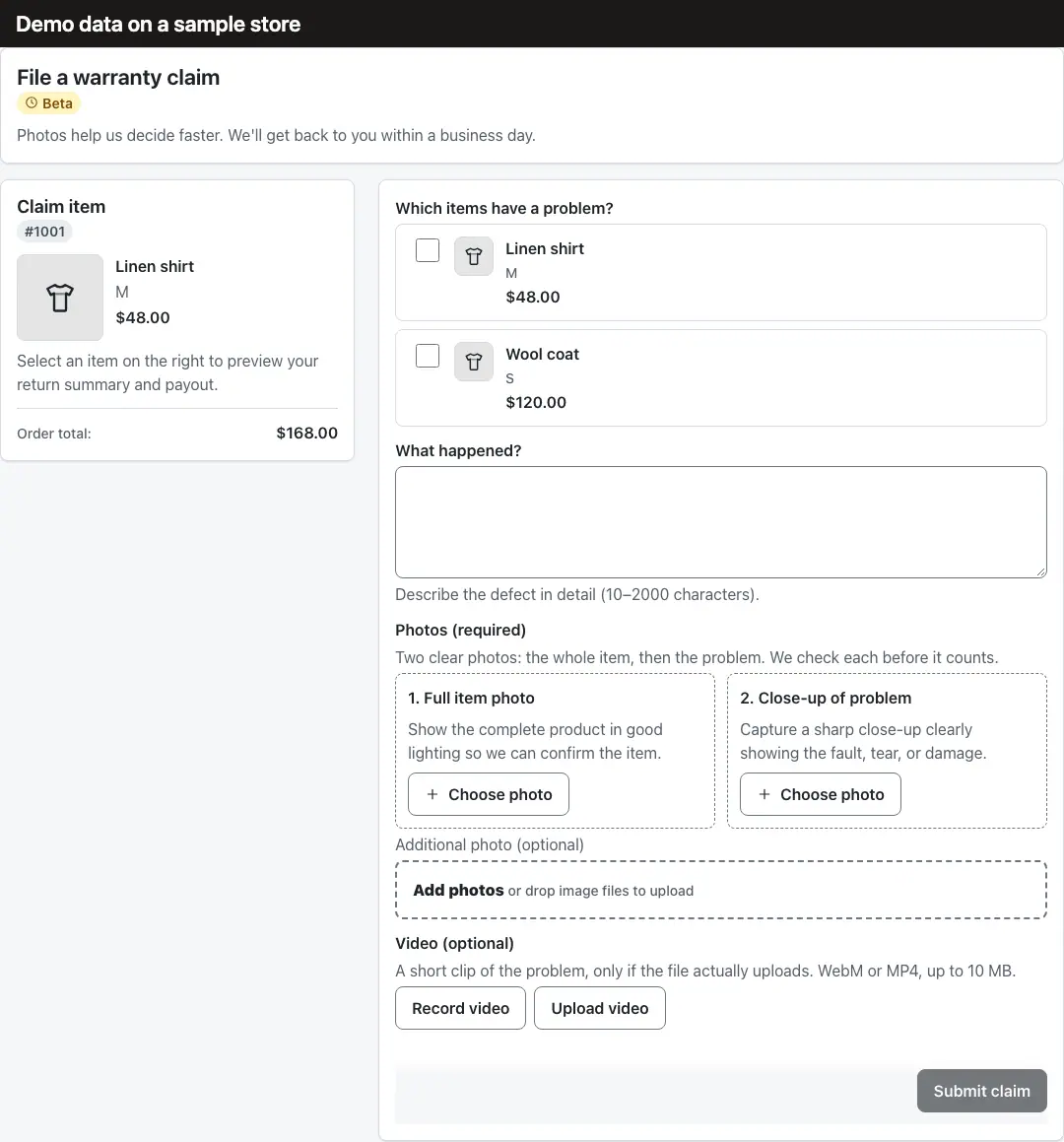
- A warranty claim needs at least 2 photos and a description of 10 to 2,000 characters.
- The app and the shopper portal ship in English and Hindi only.
What does Eturns connect to?
- Shopify store
- Admin app: Today, Decisions, Impact, Policies
- Background worker
- Shopper portal, from storefront theme blocks and customer account blocks
- Shopify orders, returns, and refunds
- Shopify Shipping labels
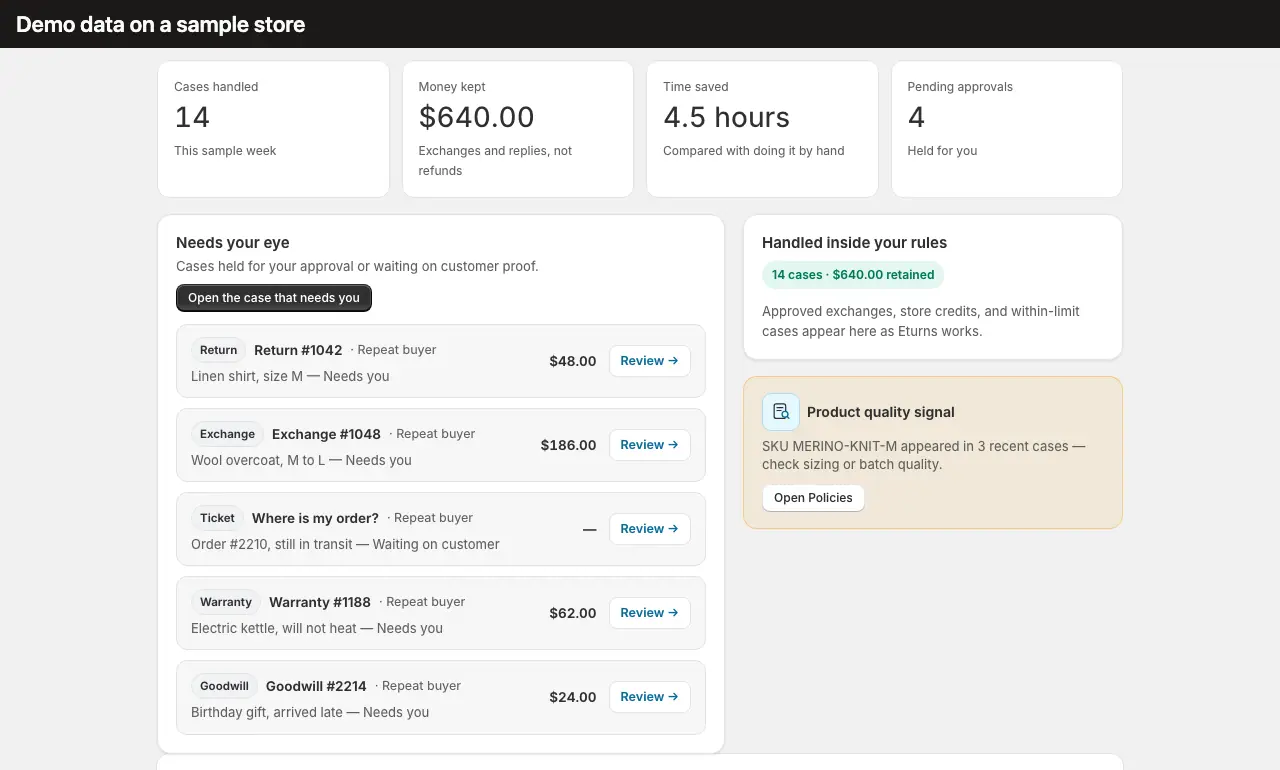
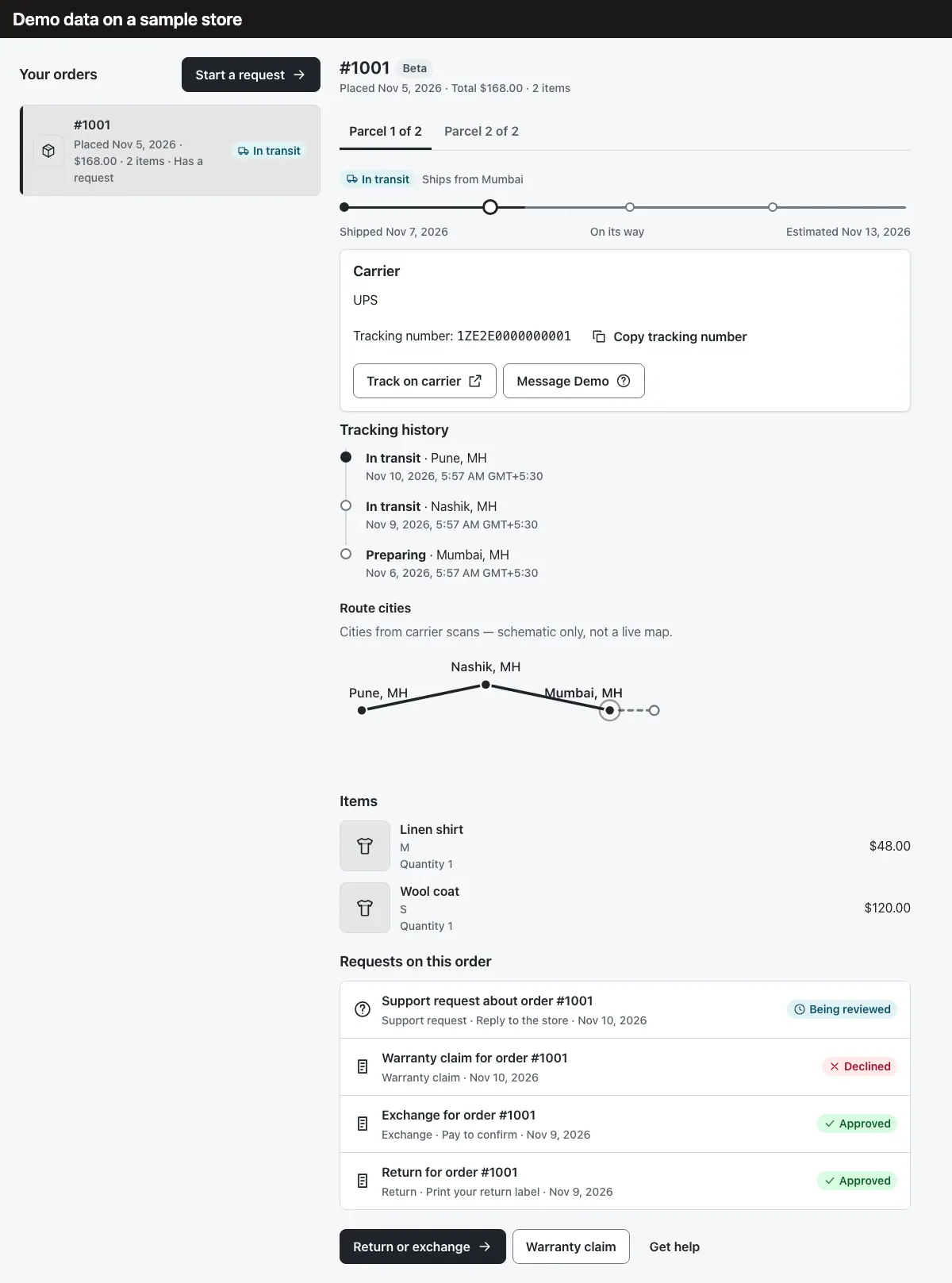
The product, on a sample store
These four screens are demo data on a sample store. Instant answers happen only in the shopper portal. Emailed questions wait for your approval, and a refund question gets no drafted reply. A warranty claim needs at least 2 photos and a description of 10 to 2,000 characters.